




All Activity
Past hour
-
The Ducks were 3-10 bad against SUC pre Raiola last week. Then 38-17 good with him.
-
UW looks like poorly coached group of 5 team. They had 14 yards of total offense until a pass a second ago. So how bad is USC and how bad are we?
-
Update. 27-0 still 5:00 to go until half. Does college have a mercy rule?
-
Make that 27-0!
-
Wow, Washington is really bad. Almost sad.
-
But it's still funny!
-
Iowa just went up 20-0 over the Purple Mutts with nine minutes left in the second quarter. They've actually gotten so bad it's getting hard to care anymore.
-
Iowa Takin it to Fusky 20-0
-
Scataboos don't grow on trees.
Today
-
No problem . . . for nine holes. Or, just stop when you hit "your" number and "walk" the rest. Remember the definition of golf, a good walk ruined.
Yesterday
-
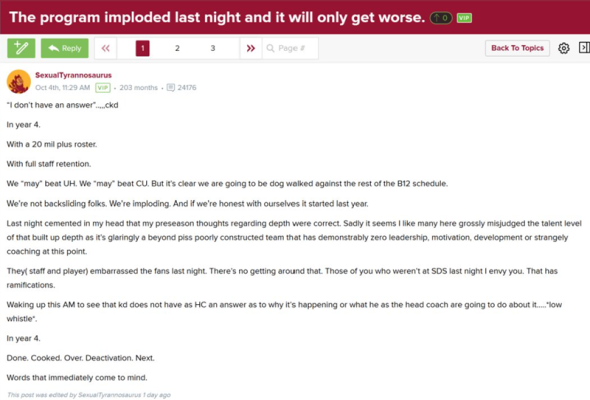
At Arizona State....Dilly has his troubles....
-
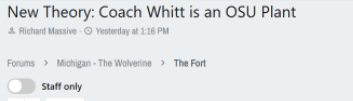
Going crazy in Michigan.....
-
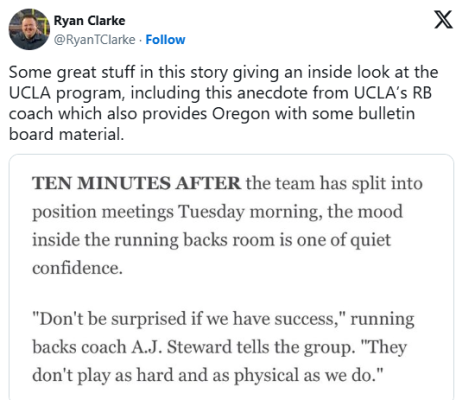
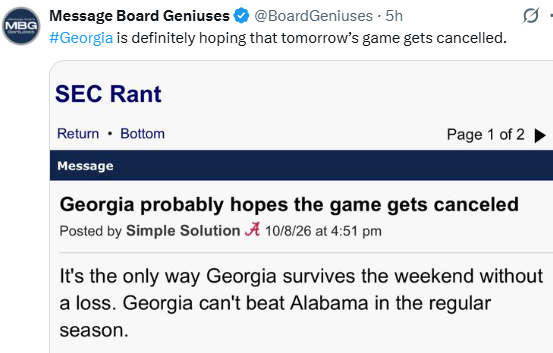
Oregon 38-27 1 TO 2 Sacks 260 passing ydsFive keys to the game: No. 13 Oregon at No. 21 UCLAHere are five keys to ensure No. 13 Oregon exits Autzen Stadium with a 4-1 record on Saturday afternoon. https://247sports.com/college/oregon/longformarticle/five-keys-to-the-game-no-13-oregon-at-no-21-ucla-291023535/Oregon hosts 5-star QB commit Will Mencl, 2028 recruiting targets vs. UCLA https://duckswire.usatoday.com/story/sports/college/ducks/recruiting/2026/10/09/oregon-football-recruiting-will-mencl-kameron-mcgee-visits-ucla/92172372007/Could I have some more please?I Wouldn't Poke the Bear....


















Account
Navigation
Search
Configure browser push notifications
Chrome (Android)
- Tap the lock icon next to the address bar.
- Tap Permissions → Notifications.
- Adjust your preference.
Chrome (Desktop)
- Click the padlock icon in the address bar.
- Select Site settings.
- Find Notifications and adjust your preference.
Safari (iOS 16.4+)
- Ensure the site is installed via Add to Home Screen.
- Open Settings App → Notifications.
- Find your app name and adjust your preference.
Safari (macOS)
- Go to Safari → Preferences.
- Click the Websites tab.
- Select Notifications in the sidebar.
- Find this website and adjust your preference.
Edge (Android)
- Tap the lock icon next to the address bar.
- Tap Permissions.
- Find Notifications and adjust your preference.
Edge (Desktop)
- Click the padlock icon in the address bar.
- Click Permissions for this site.
- Find Notifications and adjust your preference.
Firefox (Android)
- Go to Settings → Site permissions.
- Tap Notifications.
- Find this site in the list and adjust your preference.
Firefox (Desktop)
- Open Firefox Settings.
- Search for Notifications.
- Find this site in the list and adjust your preference.