Finish your profile right here and directions for adding your Profile Picture (which appears when you post) is right here.
BroncoSas
Members
-
Joined
-
Last visited
-
Good, I want ohiO statE to relax a little...
-
-
"Mercenaries are worthless, disunited, unfaithful. And they have nothing more to keep them in a battle but a meager wage. And it's just enough to make them want to kill for you But not enough for them to want to die for you." -John Cale
-
Just look at Bend. There was slightly less than 18,000 people living there in 1980. Now it's a roundabout monstrosity...
-
I was surprised when he turned it around like that. ...And lost the nickname Dudwig!
-
Has Dan The Man reached his ceiling? I don't know. Is the Oregon offense predictable? You be the judge. Might as well call Andy Ludwig back to call sideline passes for no gain...
-
Gameday. 7:20 AM. Weather looking good post fog!
 Mighty Oregon 42-24 3 1 280RadarOne of my (Duck grad)kids is a sales manager at the local Lexus dealer. He told me a story about Dana a few years ago. Some Duck coaches get complimentary vehicles to use. One year Dana got a red Lexus. He brought it back the next day. He was almost apologetic. "Guys... I just can't drive a red vehicle..." So he ended up with a white one. My son said he was the nicest most down to earth man you'd ever want to meet. I personally always thought that the university should've offered him a lifetime contract.Indigenous Summer continues. Wednesday 10/07/2026F7EDEF68-F56C-4A00-A639-B0EAE94BB152.mp4This evening at Fern Ridge.
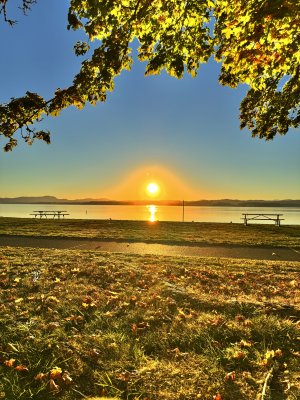 I was at the North Eugene/ Creswell JV game last evening(My sophomore grandson plays offense and defense). I mentioned to my daughter that the weather was what used to be called Indian Summer. She laughed and said I'd have to call it Indigenous Summer... It's a great time of year in Eugene. Even if it's getting too crowded.Absolutely not. I can't get past how disingenuous his post game remarks were. I don't care if he's an offensive "genius." His lack of candor was offensive. We have a good thing going here, he wouldn't add anything to the UofO's athletic culture. Just my opinion. (One of my grandads left the UofO to go fight in WW1. Had four broken arms. He came back and got his degree. My only sibling is a UO grad. Two of my three kids are UO grads. Now my granddaughter just started her college career at the UofO.)